5cb2fb41f8
Merging for testing since this can't be tested without a merge to master

fix(ci): use --no-frozen-lockfile for docs deploy (pnpm migration)

The Build and Deploy Docs workflow ran `pnpm install --frozen-lockfile` and
failed on every master push after the pnpm migration:

  [ERR_PNPM_OUTDATED_LOCKFILE] pnpm-lock.yaml is not up to date with
  platform/core/package.json
    - @ohif/ui (lockfile: workspace:*, manifest: 3.13.0-beta.90)

publish-version.mjs rewrites @ohif/* workspace deps from "workspace:*" to the
concrete release version and commits that bump to master, so the committed
manifests intentionally drift from pnpm-lock.yaml. Every CircleCI job already
passes --no-frozen-lockfile for exactly this reason (pnpm-workspace.yaml sets
frozenLockfile:true as the default); the docs workflow was the lone job still
using frozen and so broke the docs deploy.

Switch the docs install to --no-frozen-lockfile to match the rest of CI.

Co-Authored-By: Claude Opus 4.8 (1M context) <noreply@anthropic.com>
@

* fix(ci): write npm auth token to ~/.npmrc so publishes authenticate

NPM_PUBLISH wrote the registry auth token to ~/repo/.npmrc (the repo root),
but publish-package.mjs does process.chdir(packageDirectory) and runs
`npm publish` from inside each package (platform/ui, extensions/*, ...). npm
reads the project .npmrc from that package dir and the user .npmrc from
$HOME -- it never walks up to ~/repo/.npmrc -- so every publish failed with
ENEEDAUTH ("need auth ... requires you to be logged in").

publish-package.mjs catches and swallows per-package publish errors, so
NPM_PUBLISH still exited 0 and reported green; the breakage was silent. As a
result no @ohif/* package newer than 3.13.0-beta.89 (the last publish before
the pnpm migration) reached npm -- beta.90 and beta.91 are missing and the
beta dist-tag is stuck at beta.89.

Write the token to ~/.npmrc (npm per-user config, read regardless of cwd)
instead. This also stops clobbering the committed workspace-config .npmrc
(node-linker=hoisted) at the repo root, which the in-job pnpm install/build
relies on. Applied to all three auth steps for consistency.

Co-Authored-By: Claude Opus 4.8 (1M context) <noreply@anthropic.com>

* fix(docker): copy preinstall.js before pnpm install in builder stage

The builder stage copies only the package.json manifests, runs
`pnpm install --no-frozen-lockfile`, and copies the rest of the source
afterward (for layer caching). But the root package.json defines a
"preinstall" lifecycle script (node preinstall.js) that pnpm runs at the
start of install -- before the source copy -- so the script file was absent
and install aborted:

  . preinstall$ node preinstall.js
  Error: Cannot find module '/usr/src/app/preinstall.js' (MODULE_NOT_FOUND)
  ERROR: process "pnpm install --no-frozen-lockfile" did not complete

This surfaced once the .npmrc COPY fix (#6076) let the build advance past
the earlier COPY failure. preinstall.js is self-contained (it no-ops without
GITHUB_TOKEN and guards the AGENTS.md/CLAUDE.md symlink with existsSync), so
copying just the script into the early manifest layer is sufficient.

Co-Authored-By: Claude Opus 4.8 (1M context) <noreply@anthropic.com>

* fix(build): declare postcss plugins in platform/app for Docker build

The shared root postcss.config.js (which platform/app re-exports) loads
postcss-import, postcss-preset-env, and cssnano, but none were declared in
platform/app or the root. They only reached node_modules by being hoisted
from platform/docs (postcss-import, postcss-preset-env) and transitively
(cssnano). The Docker image excludes platform/docs via .dockerignore and
libs/@cornerstonejs is not a workspace member, so under pnpm's stricter
node-linker=hoisted the app build failed to resolve the plugins:

  Loading PostCSS "postcss-preset-env" plugin failed:
  Cannot find module 'postcss-preset-env'

(The accompanying "Can't resolve assets/woff2/latin.woff2" error was a
cascade from the broken PostCSS chain and clears with this fix.)

Declare the three plugins the config explicitly loads as devDependencies of
platform/app, pinned to the versions already resolved by working builds
(postcss-import@14.1.0, postcss-preset-env@7.8.3, cssnano@5.1.15), so the
build no longer depends on incidental hoisting from docs.

The lockfile was regenerated against a workspace:* baseline so the only
@ohif change is none -- the diff adds just the postcss plugin trees, keeping
specifiers at workspace:* per the repo's convention. Verified by building the
full Docker image locally: rspack compiles with 0 errors and the image
exports successfully.

Co-Authored-By: Claude Opus 4.8 (1M context) <noreply@anthropic.com>

---------

Co-authored-by: Claude Opus 4.8 (1M context) <noreply@anthropic.com>
|
||
|---|---|---|
| .circleci | ||
| .docker | ||
| .github | ||
| .netlify | ||
| .scripts | ||
| .vscode | ||
| .webpack | ||
| extensions | ||
| modes | ||
| platform | ||
| scripts | ||
| testdata@3f85fe843c | ||
| tests | ||
| .browserslistrc | ||
| .codespellrc | ||
| .dockerignore | ||
| .eslintignore | ||
| .eslintrc.json | ||
| .gitattributes | ||
| .gitignore | ||
| .gitmodules | ||
| .node-version | ||
| .npmrc | ||
| .nycrc.json | ||
| .prettierignore | ||
| .prettierrc | ||
| AGENTS.md | ||
| aliases.config.js | ||
| babel.config.js | ||
| CHANGELOG.md | ||
| CODE_OF_CONDUCT.md | ||
| commit.txt | ||
| CONTRIBUTING.md | ||
| DATACITATION.md | ||
| Dockerfile | ||
| eslintAliasesResolver.js | ||
| jest.config.base.js | ||
| jest.config.js | ||
| LICENSE | ||
| netlify.toml | ||
| package.json | ||
| playwright.config.ts | ||
| pnpm-lock.yaml | ||
| pnpm-workspace.yaml | ||
| postcss.config.js | ||
| preinstall.js | ||
| publish-package.mjs | ||
| publish-version.mjs | ||
| README.md | ||
| rsbuild.config.ts | ||
| runtime.txt | ||
| tsconfig.json | ||
| version.json | ||
| version.mjs | ||
| version.txt | ||
OHIF Medical Imaging Viewer
The OHIF Viewer is a zero-footprint medical image viewer provided by the Open Health Imaging Foundation (OHIF). It is a configurable and extensible progressive web application with out-of-the-box support for image archives which support DICOMweb.



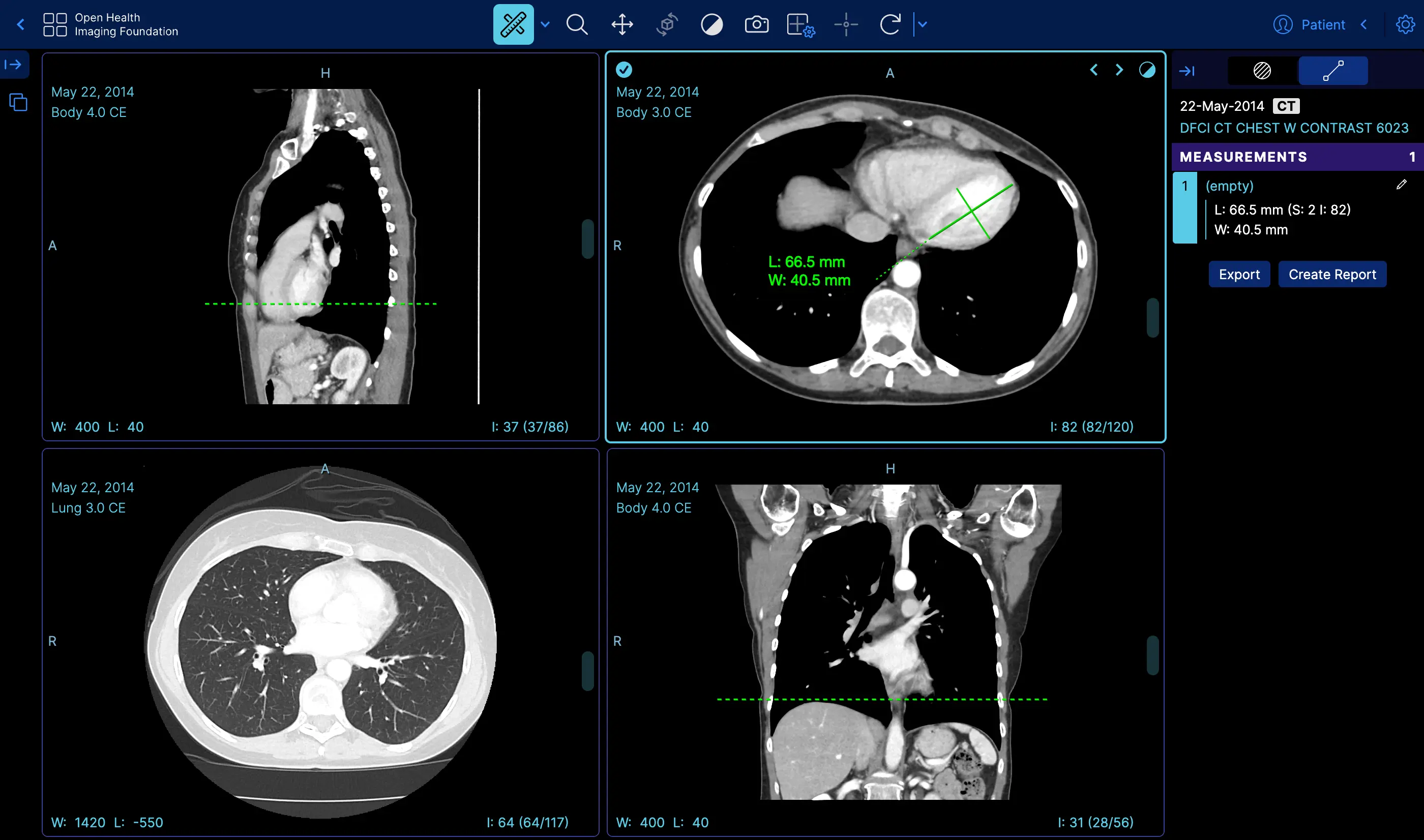 |
Measurement Tracking | Demo |
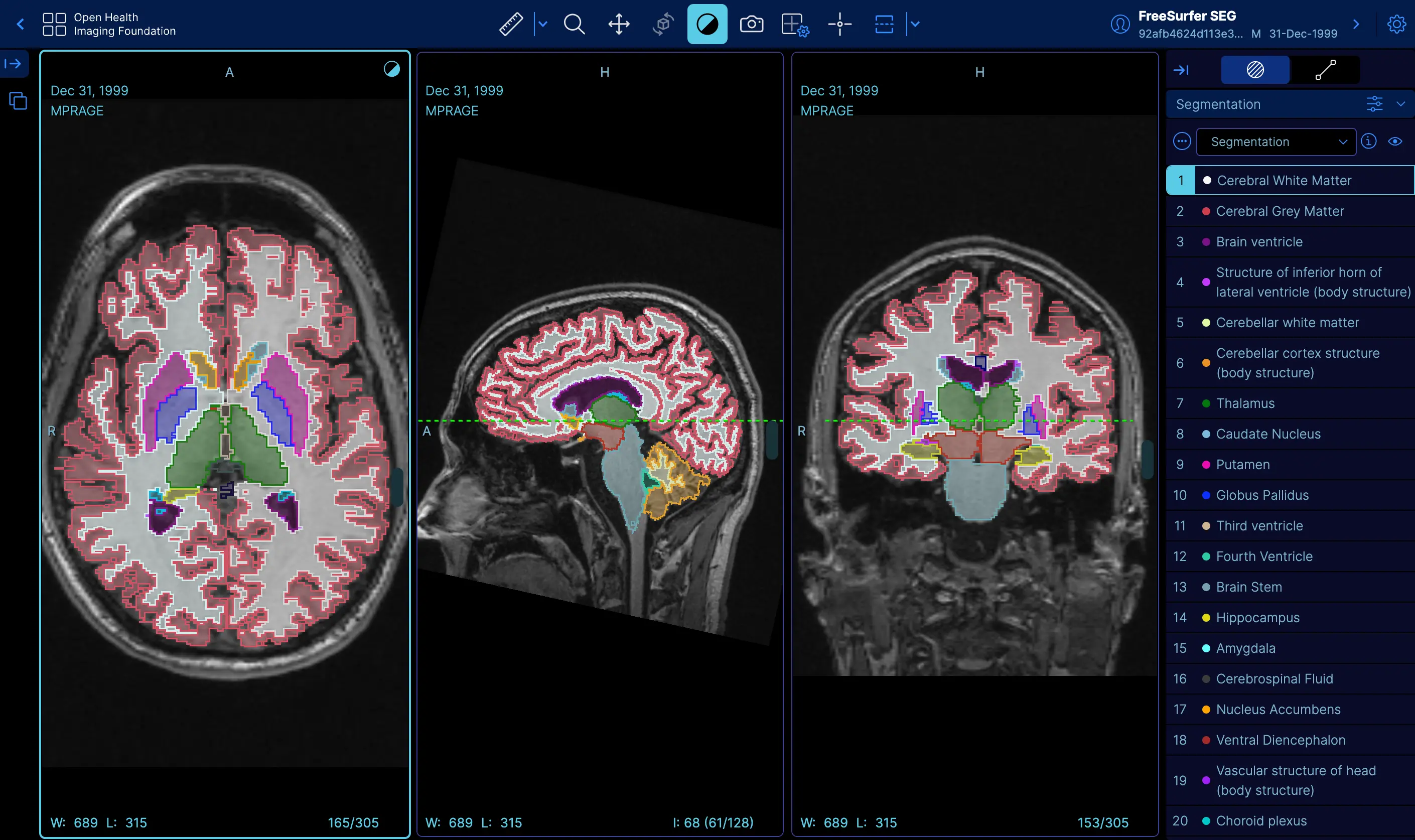 |
Labelmap Segmentations | Demo |
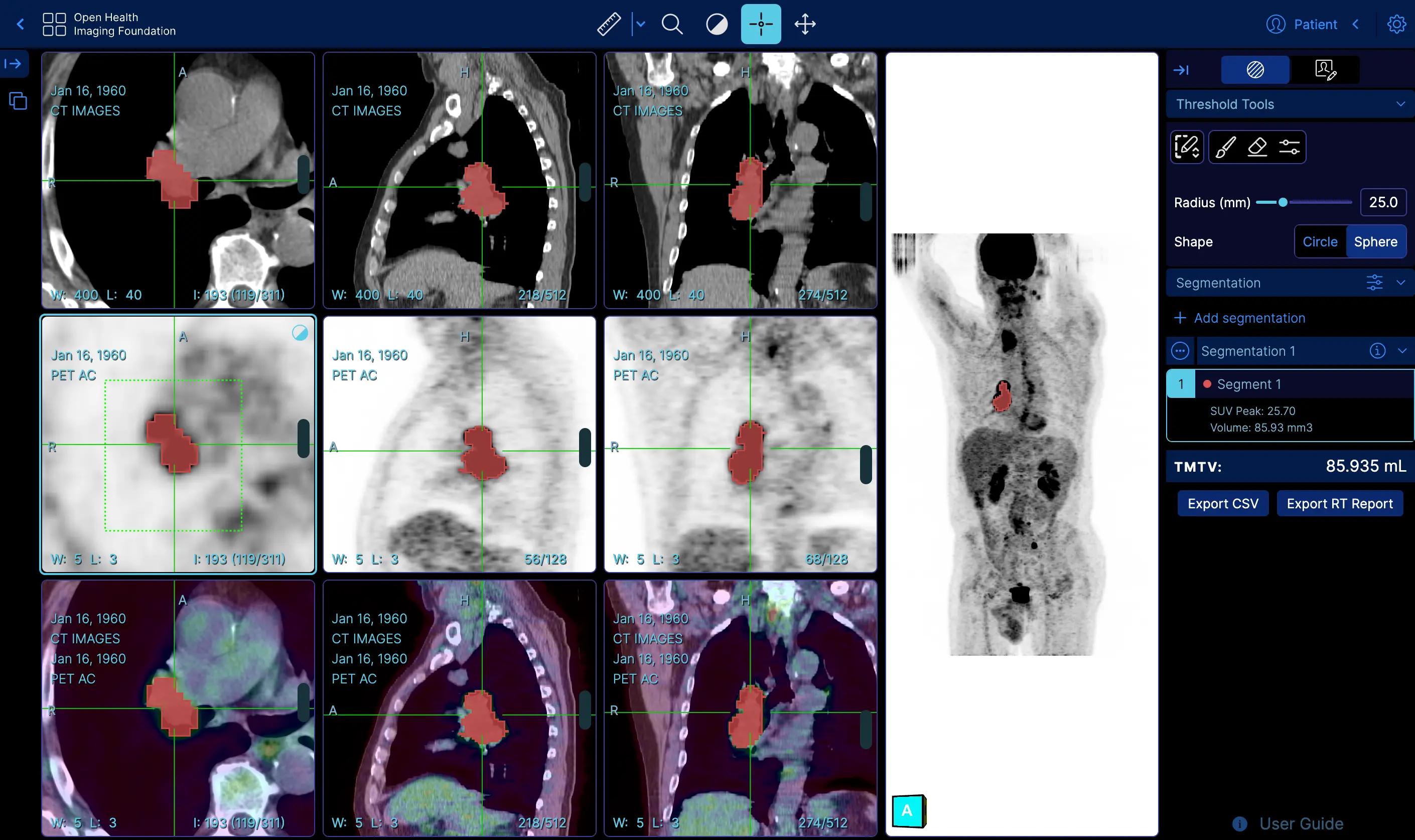 |
Fusion and Custom Hanging protocols | Demo |
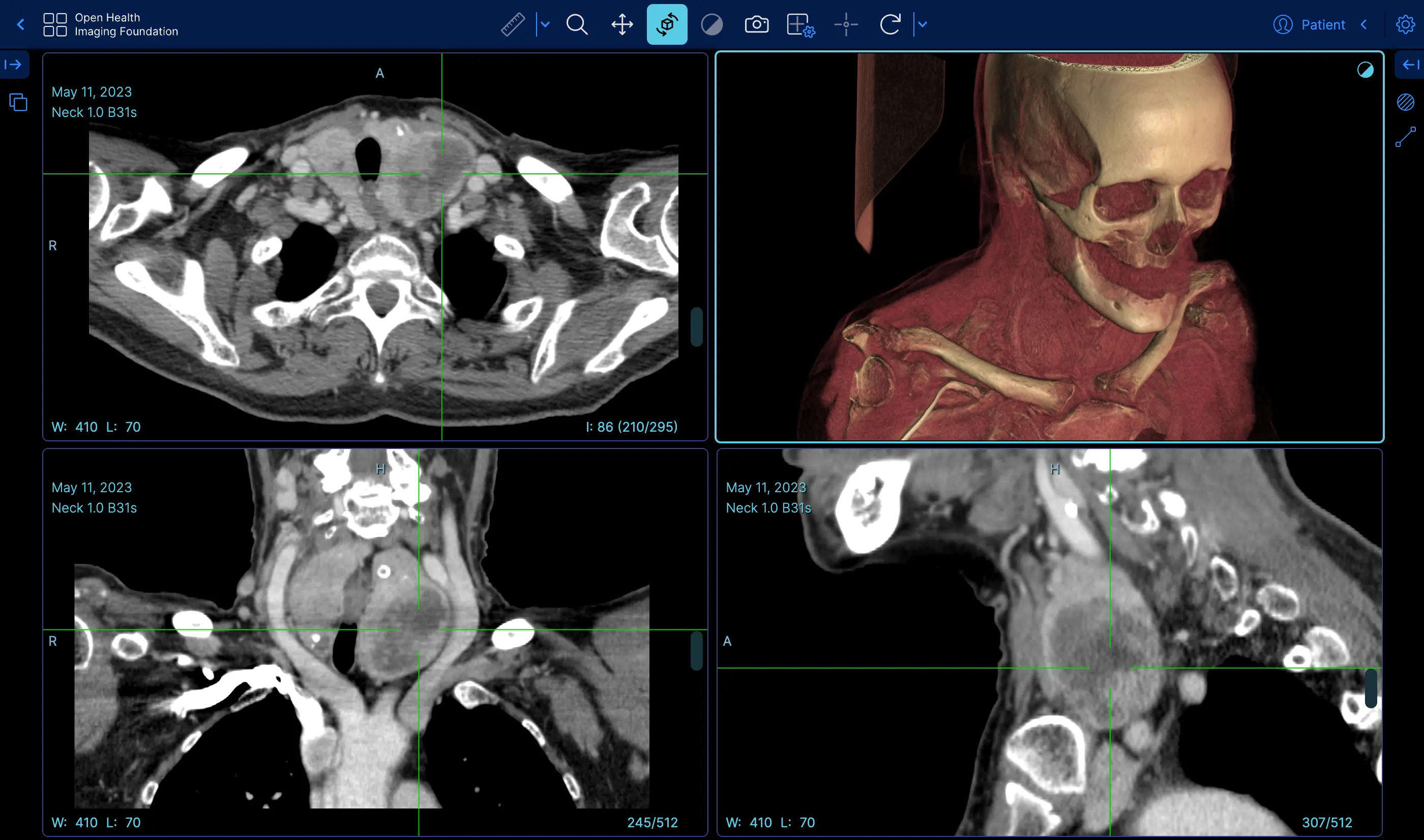 |
Volume Rendering | Demo |
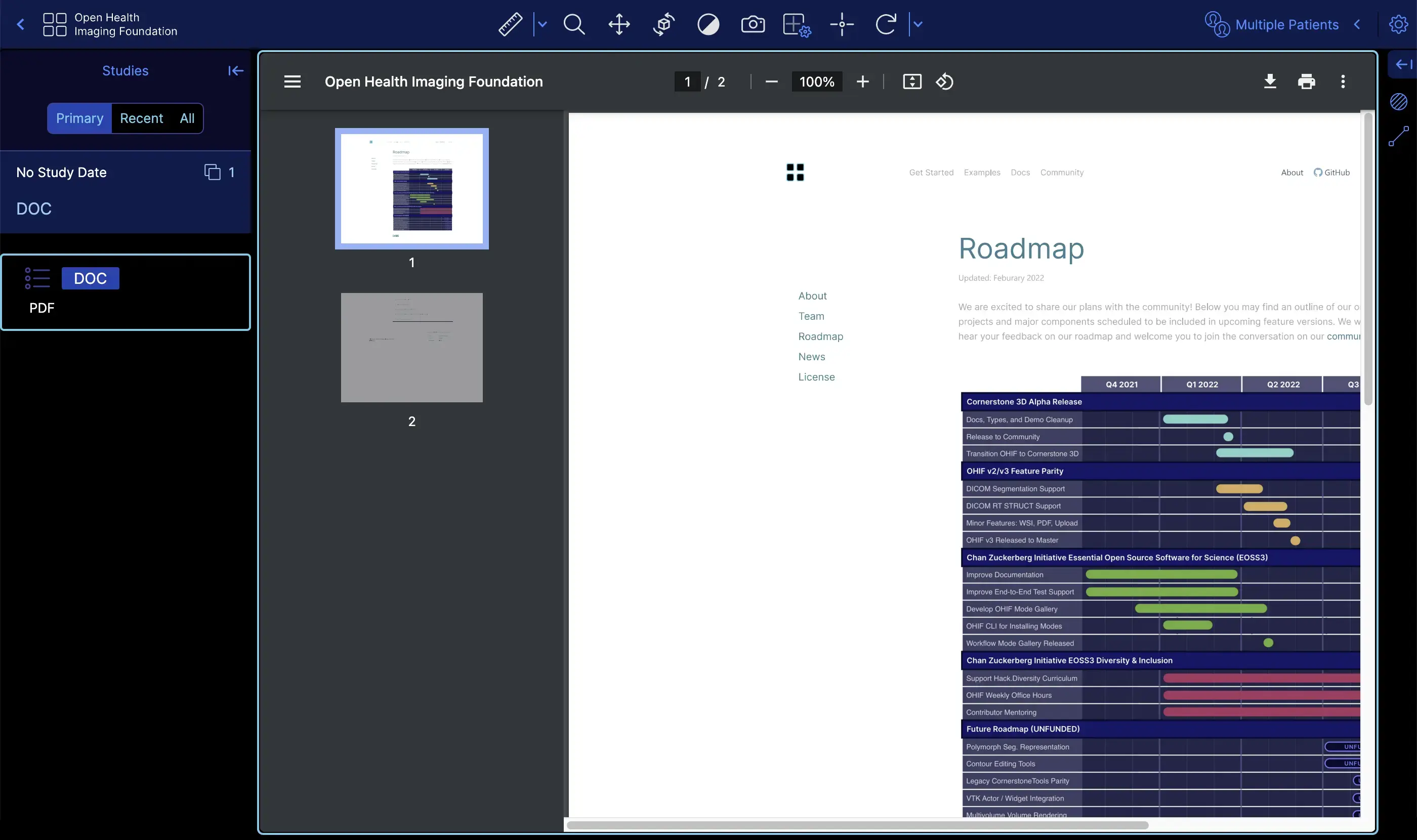 |
Demo | |
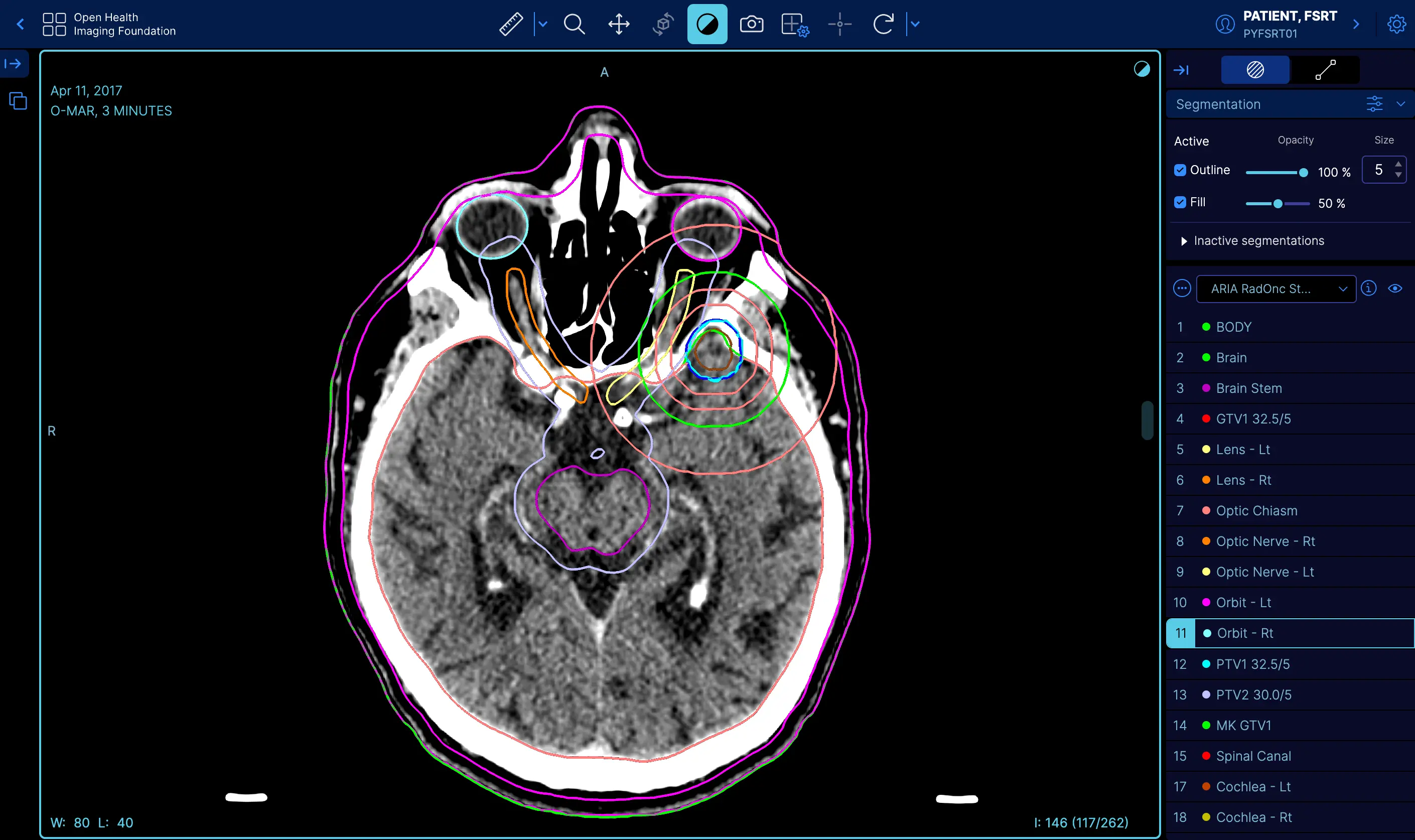 |
RT STRUCT | Demo |
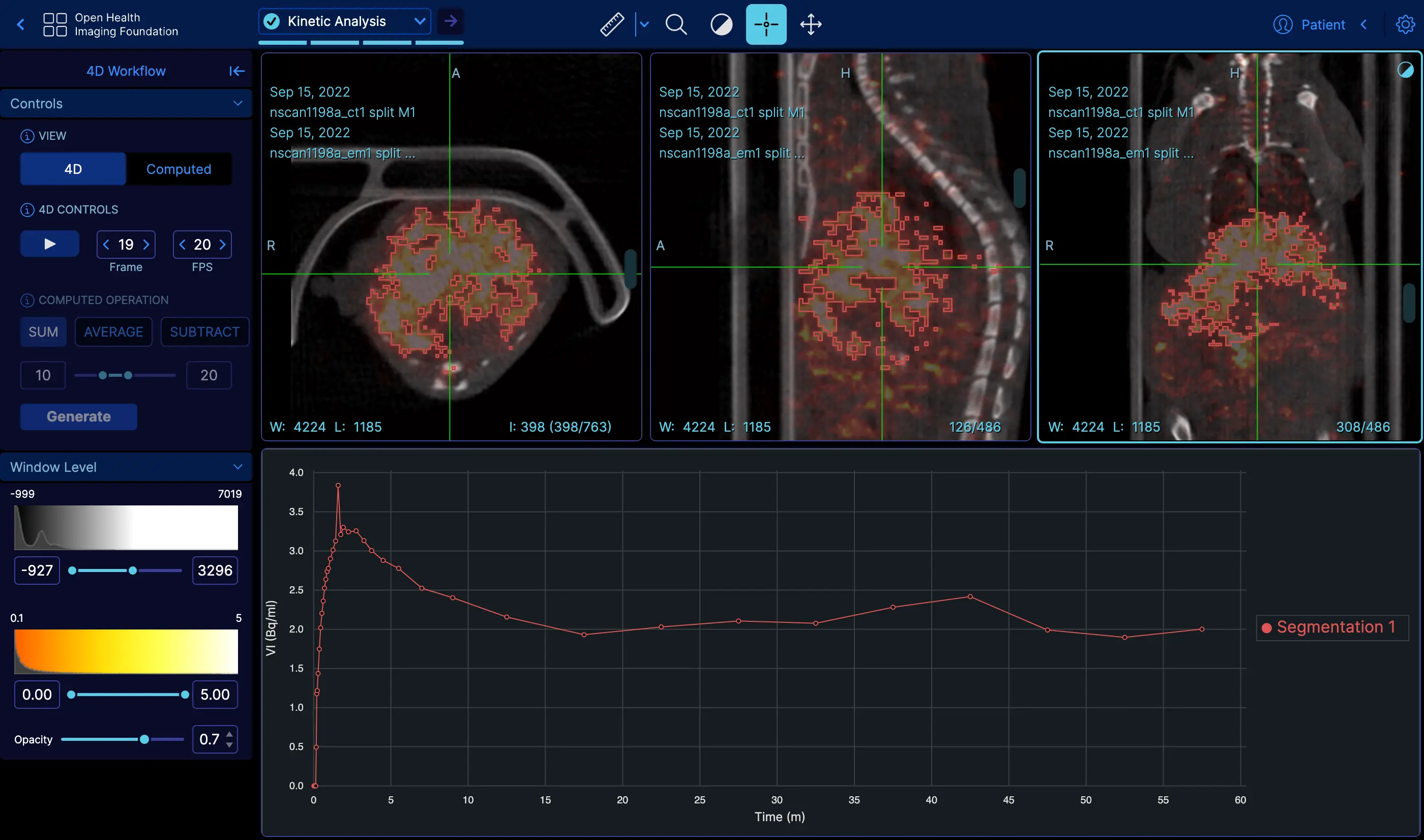 |
4D | Demo |
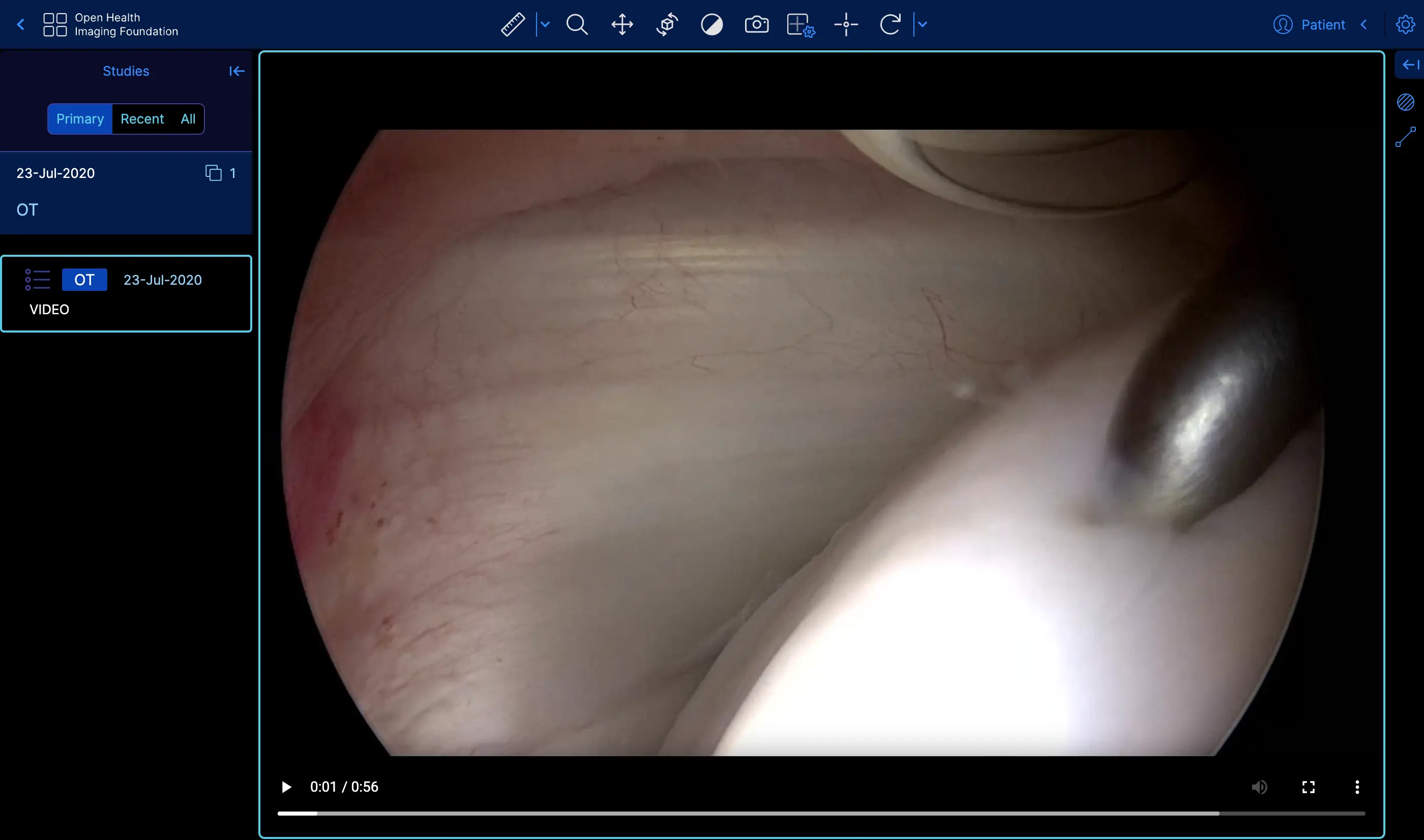 |
Video | Demo |
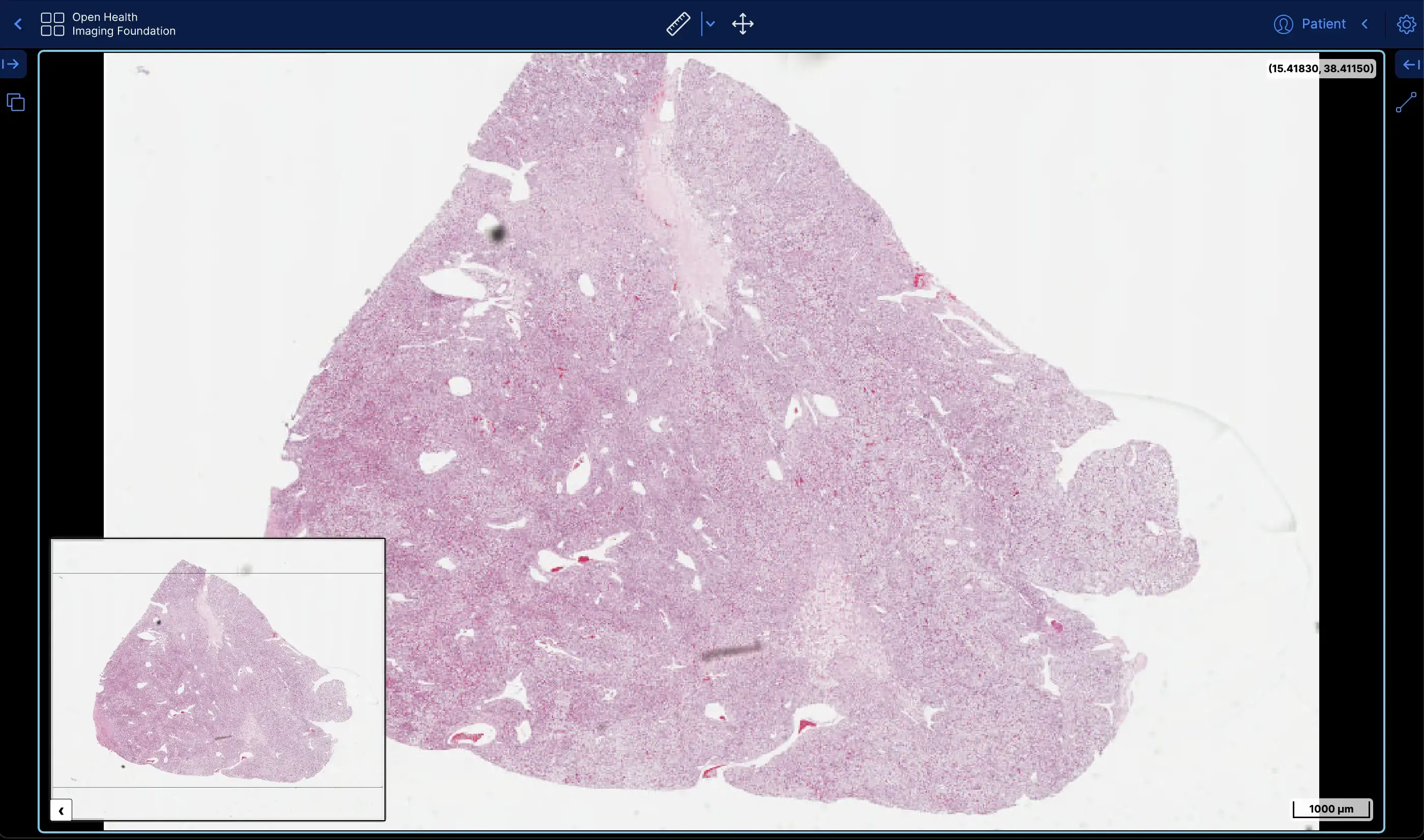 |
Slide Microscopy | Demo |
 |
ECG Waveform | Demo |
About
The OHIF Viewer can retrieve and load images from most sources and formats, render sets in 2D, 3D, and reconstructed representations; allows for the manipulation, annotation, and serialization of observations; supports internationalization, OpenID Connect, offline use, hotkeys, and many more features.
Almost everything offers some degree of customization and configuration. If it doesn't support something you need, we accept pull requests and have an ever improving Extension System.
Why Choose Us
Community & Experience
The OHIF Viewer is a collaborative effort that has served as the basis for many active, production, and FDA Cleared medical imaging viewers. It benefits from our extensive community's collective experience, and from the sponsored contributions of individuals, research groups, and commercial organizations.
Built to Adapt
After more than 8-years of integrating with many companies and organizations, The OHIF Viewer has been rebuilt from the ground up to better address the varying workflow and configuration needs of its many users. All of the Viewer's core features are built using its own extension system. The same extensibility that allows us to offer:
- 2D and 3D medical image viewing
- Multiplanar Reconstruction (MPR)
- Maximum Intensity Project (MIP)
- Whole slide microscopy viewing
- PDF and Dicom Structured Report rendering
- Segmentation rendering as labelmaps and contours
- User Access Control (UAC)
- Context specific toolbar and side panel content
- and many others
Can be leveraged by you to customize the viewer for your workflow, and to add any new functionality you may need (and wish to maintain privately without forking).
Support
For commercial support, academic collaborations, and answers to common questions; please use Get Support to contact us.
Developing
Branches
master branch - The latest dev (beta) release
master- The latest dev release
This is typically where the latest development happens. Code that is in the master branch has passed code reviews and automated tests, but it may not be deemed ready for production. This branch usually contains the most recent changes and features being worked on by the development team. It's often the starting point for creating feature branches (where new features are developed) and hotfix branches (for urgent fixes).
Each package is tagged with beta version numbers, and published to npm such as @ohif/ui@3.6.0-beta.1
release/* branches - The latest stable releases
Once the master branch code reaches a stable, release-ready state, we conduct a comprehensive code review and QA testing. Upon approval, we create a new release branch from master. These branches represent the latest stable version considered ready for production.
For example, release/3.5 is the branch for version 3.5.0, and release/3.6 is for version 3.6.0. After each release, we wait a few days to ensure no critical bugs. If any are found, we fix them in the release branch and create a new release with a minor version bump, e.g., 3.5.1 in the release/3.5 branch.
Each package is tagged with version numbers and published to npm, such as @ohif/ui@3.5.0. Note that master is always ahead of the release branch. We publish docker builds for both beta and stable releases.
Here is a schematic representation of our development workflow:

Requirements
- Yarn 1.20.0+
- Node 18+
- Yarn Workspaces should be enabled on your machine:
yarn config set workspaces-experimental true
Getting Started
- Fork this repository
- Clone your forked repository
git clone https://github.com/YOUR-USERNAME/Viewers.git
- Navigate to the cloned project's directory
- Add this repo as a
remotenamedupstreamgit remote add upstream https://github.com/OHIF/Viewers.git
yarn install --frozen-lockfileto restore dependencies and link projects
:::danger
In general run yarn install with the --frozen-lockfile flag to help avoid
supply chain attacks by enforcing reproducible dependencies. That is, if the
yarn.lock file is clean and does NOT reference compromised packages, then
no compromised packages should land on your machine by using this flag.
:::
To Develop
From this repository's root directory:
# Enable Yarn Workspaces
yarn config set workspaces-experimental true

# Restore dependencies
yarn install --frozen-lockfile
Cornerstone3D Integration Testing
OHIF's Playwright end-to-end tests can run against a CS3D branch or a published CS3D version, allowing changes that span both repositories to be validated together before merging.
Setting up an integration build
- Add the
ohif-integrationlabel to your OHIF pull request. - In the PR body, add a line specifying the CS3D ref:
CS3D_REF: feat/my-feature- Version ref (e.g.
4.19+,4.18.2) — the workflow resolves it to an exact published version and swaps the CS3D dependency via npm. - Branch ref (e.g.
main,cornerstonejs:feat/foo) — the workflow clones the branch, builds CS3D from source withbun run build:esm, and symlinks the built packages into OHIF'snode_modules. - For forks, use the
<owner>:<branch>format (e.g.myGithubUser:feat/foo). - If no
CS3D_REFis specified, the default is4.19+.
- Version ref (e.g.
- The workflow can also be triggered manually via workflow_dispatch with a
cs3d_refinput.
What happens in CI
The Playwright workflow runs two jobs:
| Job | Purpose |
|---|---|
| Playwright Tests | Builds OHIF (with CS3D linked or version-swapped), runs the full Playwright suite, uploads test results and coverage, and deploys a Netlify preview when ohif-integration is active. |
| CS3D Branch Merge Guard | A lightweight check that fails when the ohif-integration label is present and CS3D_REF points to a branch (not a version). This prevents merging while still letting the Playwright tests show green so you can see whether the code actually works. |
Testing changes that span both repos
If a feature requires changes in both Cornerstone3D and OHIF:
- Create your feature branch in CS3D and push it.
- Create a matching branch in OHIF.
- Add the
ohif-integrationlabel to the OHIF pull request. - In the PR body, add:
CS3D_REF: <your-cs3d-branch>. - Playwright tests will build CS3D from source, link it, and run the full suite. The merge guard will block merge until you switch to a published version — but you can see the test results and the preview deploy while iterating.
- Once the CS3D side is merged and published, update the PR body to reference
the published version (e.g.
CS3D_REF: 4.19+). The tests will run against the registry version and the merge guard will pass.
Preview deploys
When ohif-integration is active, the Playwright workflow also builds the OHIF
viewer and deploys it to Netlify as a preview. This gives you a live URL to
manually test the combined CS3D + OHIF changes without running anything locally.
For details on linking CS3D locally for development, see the Cornerstone3D README.
Commands
These commands are available from the root directory. Each project directory
also supports a number of commands that can be found in their respective
README.md and package.json files.
| Yarn Commands | Description |
|---|---|
| Develop | |
dev |
Default development experience for Viewer |
dev:fast |
Our experimental fast dev mode that uses rsbuild instead of webpack |
test:unit |
Jest multi-project test runner; overall coverage |
| Deploy | |
build* |
Builds production output for our PWA Viewer |
* - For more information on different builds, check out our Deploy Docs
Project
The OHIF Medical Image Viewing Platform is maintained as a
monorepo. This means that this repository, instead of containing a
single project, contains many projects. If you explore our project structure,
you'll see the following:
.
├── extensions               #
│   ├── _example             # Skeleton of example extension
│   ├── default              # basic set of useful functionalities (datasources, panels, etc)
│   ├── cornerstone       # image rendering and tools w/ Cornerstone3D
│   ├── cornerstone-dicom-sr # DICOM Structured Report rendering and export
│   ├── cornerstone-dicom-sr # DICOM Structured Report rendering and export
│   ├── cornerstone-dicom-seg # DICOM Segmentation rendering and export
│   ├── cornerstone-dicom-rt # DICOM RTSTRUCT rendering
│   ├── cornerstone-microscopy # Whole Slide Microscopy rendering
│   ├── dicom-pdf # PDF rendering
│   ├── dicom-video # DICOM RESTful Services
│   ├── measurement-tracking # Longitudinal measurement tracking
│   ├── tmtv # Total Metabolic Tumor Volume (TMTV) calculation
|

│
├── modes                    #
│   ├── _example             # Skeleton of example mode
│   ├── basic-dev-mode       # Basic development mode
│   ├── longitudinal         # Longitudinal mode (measurement tracking)
│   ├── tmtv       # Total Metabolic Tumor Volume (TMTV) calculation mode
│   └── microscopy          # Whole Slide Microscopy mode
│
├── platform                 #
│   ├── core                 # Business Logic
│   ├── i18n                 # Internationalization Support
│   ├── ui                   # React component library
│   ├── docs                 # Documentation
│   └── viewer               # Connects platform and extension projects
│
├── ...                      # misc. shared configuration
├── lerna.json               # MonoRepo (Lerna) settings
├── package.json             # Shared devDependencies and commands
└── README.md                # This file
Acknowledgments
To acknowledge the OHIF Viewer in an academic publication, please cite
Open Health Imaging Foundation Viewer: An Extensible Open-Source Framework for Building Web-Based Imaging Applications to Support Cancer Research
Erik Ziegler, Trinity Urban, Danny Brown, James Petts, Steve D. Pieper, Rob Lewis, Chris Hafey, and Gordon J. Harris
JCO Clinical Cancer Informatics, no. 4 (2020), 336-345, DOI: 10.1200/CCI.19.00131
Open-Access on Pubmed Central: https://www.ncbi.nlm.nih.gov/pmc/articles/PMC7259879/
or, for v1, please cite:
LesionTracker: Extensible Open-Source Zero-Footprint Web Viewer for Cancer Imaging Research and Clinical Trials
Trinity Urban, Erik Ziegler, Rob Lewis, Chris Hafey, Cheryl Sadow, Annick D. Van den Abbeele and Gordon J. Harris
Cancer Research, November 1 2017 (77) (21) e119-e122 DOI: 10.1158/0008-5472.CAN-17-0334
Note: If you use or find this repository helpful, please take the time to star this repository on GitHub. This is an easy way for us to assess adoption and it can help us obtain future funding for the project.
This work is supported primarily by the National Institutes of Health, National Cancer Institute, Informatics Technology for Cancer Research (ITCR) program, under a grant to Dr. Gordon Harris at Massachusetts General Hospital (U24 CA199460).
NCI Imaging Data Commons (IDC) project supported the development of new features and bug fixes marked with "IDC:priority", "IDC:candidate" or "IDC:collaboration". NCI Imaging Data Commons is supported by contract number 19X037Q from Leidos Biomedical Research under Task Order HHSN26100071 from NCI. IDC Viewer is a customized version of the OHIF Viewer.
This project is tested with BrowserStack. Thank you for supporting open-source!
License
MIT © OHIF