914 B
914 B
| sidebar_position | title |
|---|---|
| 3 | Push & Pull Changes |
Push & Pull Changes
Push Changes
Objective
Send committed changes from the local repository to the remote repository.
Steps
- Use one of the following methods:
- Click: Git → Push
- Or press: Ctrl + Shift + K

- Verify the remote repository and branch then click the Push button.
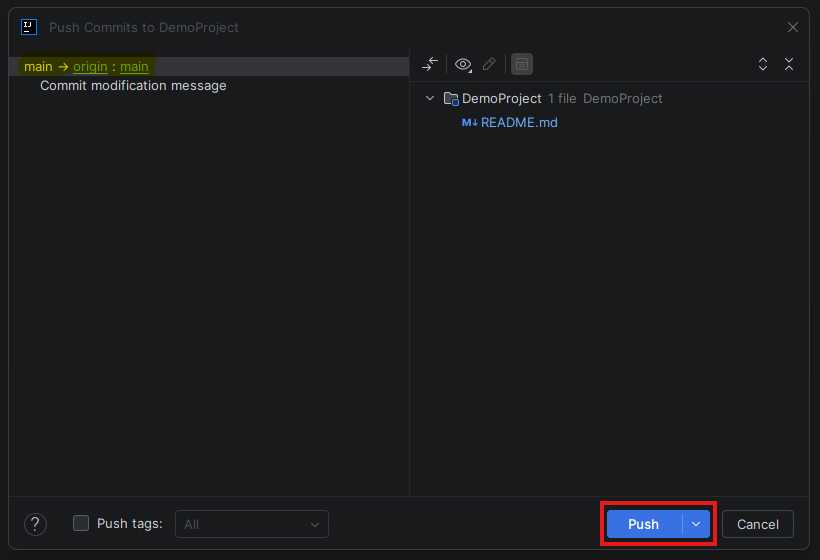
- After a successful push, you should get the following notification.

Pull Changes
Objective
Retrieve updates from the remote repository and merge them into the local repository.
Steps
- Click: Git → Pull
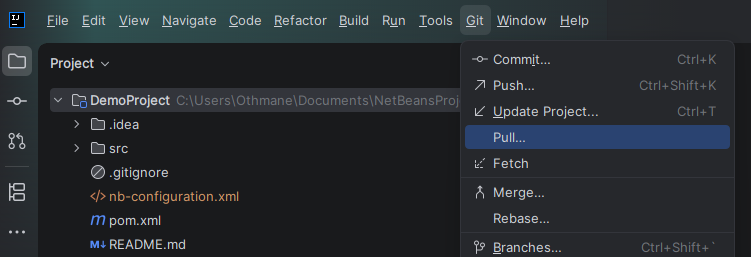
- Verify the remote branch then click Pull.
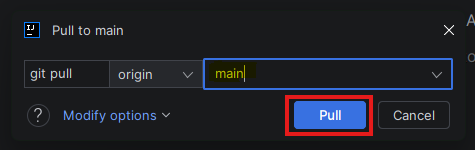
- After a successful pull, you should get the following notification.