
4.3 KiB
Extensions
Extensions add new functionality to the viewer by extending existing functionality. This can be something as simple as adding a new button to the toolbar, or as complex as a new viewport capable of rendering volumes in 3D.
Overview
At a glance, an extension is a class or object that has a getExtensionId() method, and one or more "module" methods. You can find an abbreviated extension below, or view the source of our cornerstone viewport extension.
class myCustomExtension {

    /** Required */
    getExtensionId: () => 'my-extension-id';

    /** React component that receives props from ConnectLayoutManager
     *  If more than one viewport module is registered, SopClassHandler
     *  is used to help determine which component is used */
    getViewportModule: () => reactViewportComponent;

    /** React component that adds buttons/behavior to the viewer Toolbar */
    getToolbarModule: () => reactToolbarComponent;

    /** Provides a whitelist of SOPClassUIDs the viewport is capable of rendering.
     *  Can modify default behavior for methods like `getDisplaySetFromSeries` */
    getSopClassHandler: () => {
        id: 'some-other-unique-id',
        type: PLUGIN_TYPES.SOP_CLASS_HANDLER,
        sopClassUids: ['string'],
        getDisplaySetFromSeries: (series, study, dicomWebClient, authorizationHeaders) => ...
    };

    // Not yet used
    getPanelModule: () => null;
}
Modules
Modules, or PLUGIN_TYPES, help us determine where, when, and how a plugin should be used. For example,
Viewport
An extension can register a Viewport Module by providing a getViewportModule() method that returns a React Component. The React component will receive the following props:
children: PropTypes.arrayOf(PropTypes.element)
studies: PropTypes.object,
displaySet: PropTypes.object,
viewportData: PropTypes.object, // { studies, displaySet }
viewportIndex: PropTypes.number,
children: PropTypes.node,
customProps: PropTypes.object
Viewport components are managed by the LayoutManager. Which Viewport component is used depends on:
- The Layout Configuration
- Registered SopClassHandlers
- The SopClassUID for visible/selected datasets
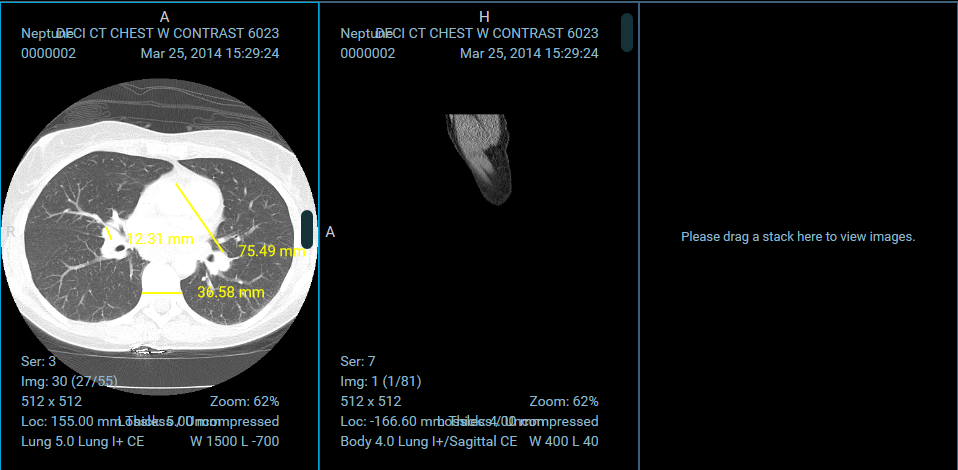
For a complete example implementation, check out the OHIFCornerstoneViewport.
Toolbar
...
SopClassHandler
...
Panel
...
Registering Extensions
Extensions are registered for the application at startup. The ExtensionManager, exposed by ohif-core, registers a list of extensions with our application's store. Each module provided by the extension becomes available via state.plugins.availablePlugins, and consists of three parts: id, type (PLUGIN_TYPE), and the return value of the module method.
In a future version, we will likely expose a way to provide the extensions you would like included at startup.
app.js
import { createStore, combineReducers } from 'redux';
import OHIF from 'ohif-core';
import OHIFCornerstoneExtension from 'ohif-cornerstone-extension';

const combined = combineReducers(OHIF.redux.reducers);
const store = createStore(combined);
const extensions = [ new OHIFCornerstoneExtension() ];

// Dispatches the `addPlugin` action to the store
// Adding extension modules to `state.plugins.availablePlugins`
ExtensionManager.registerExtensions(store, extensions);
OHIF Maintained Extensions
A small number of powerful extensions for popular use cases are maintained by OHIF. They're co-located in the OHIF/Viewers repository, in the top level extensions/ directory.
{% include "./_maintained-extensions-table.md" %}
43c08a29ef/src/redux/reducers/plugins.js (L7-L30)
- Connected Layout Manager
- AvailablePlugins that match Viewport type
ToolbarRow - AvailablePlugins that match Toolbar type